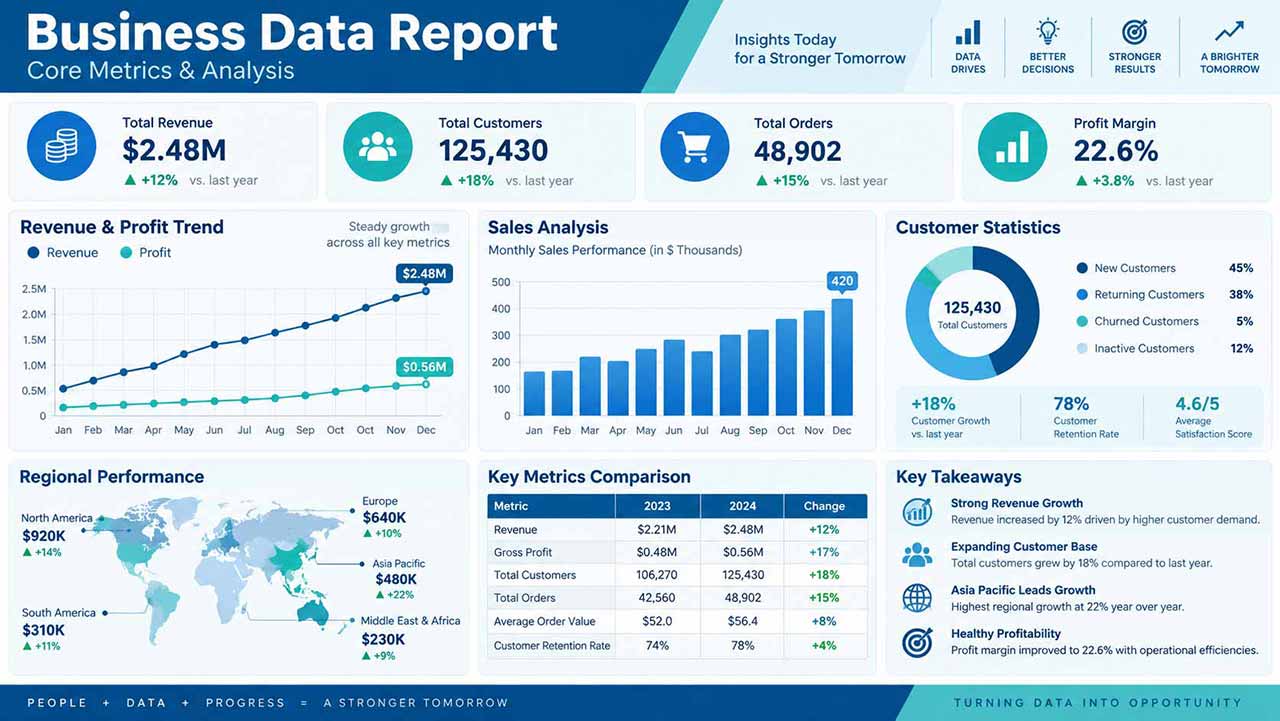

Reuse this presenter template to keep the same face, hairstyle, and outfit across videos, then update the script, voice, and background for each episode.
Template guide
Create an AI presenter video with Realistic Business Presenter - Daniel
A professional business host for reports, product updates, internal communication, and structured long-form explanations. This template is designed for operations teams, managers, customer education teams, and brands publishing formal presenter-led content. Add a script and combine AI voice, synchronized lip movement, automatic captions, and a custom image or video background in one downloadable presenter video.
Recommended setup: Choose a high-contrast corporate background and use 16:9 when the presenter needs to share space with reports or slides.
How to get a better result
- 1Open with the conclusion, organize the explanation into short sections, and end with one accountable next step.
- 2Keep one idea per sentence and use punctuation to control voice and caption pacing.
- 3Choose 9:16, 16:9, or 1:1 for the publishing platform and position the presenter in the preview.
- 4Preview the voice and background contrast so the presenter, captions, and main visual remain clear.
Example script for this template
Here is our latest business performance report. Total orders reached 48,902, profit margin improved to 22.6 percent, and customer growth remained positive across key segments. New customers accounted for 45 percent of activity, while returning customers continued to provide a strong foundation. These results show healthy momentum, with clear opportunities to improve retention and expand our highest-performing chan…
Replace this text in the generator while keeping the current presenter and layout.