1 guest video · Sign in for 10 videos per day · No credit card
Next: customize the voice and layout, then generate.
Live template preview
Realistic Business Presenter - Claire
Finished AI presenter examples
Watch complete videos and reuse the exact setup
See a SaaS product demo, employee onboarding video, and transparent presenter workflow—each with the final video, script, scene plan, voice, and reusable template.
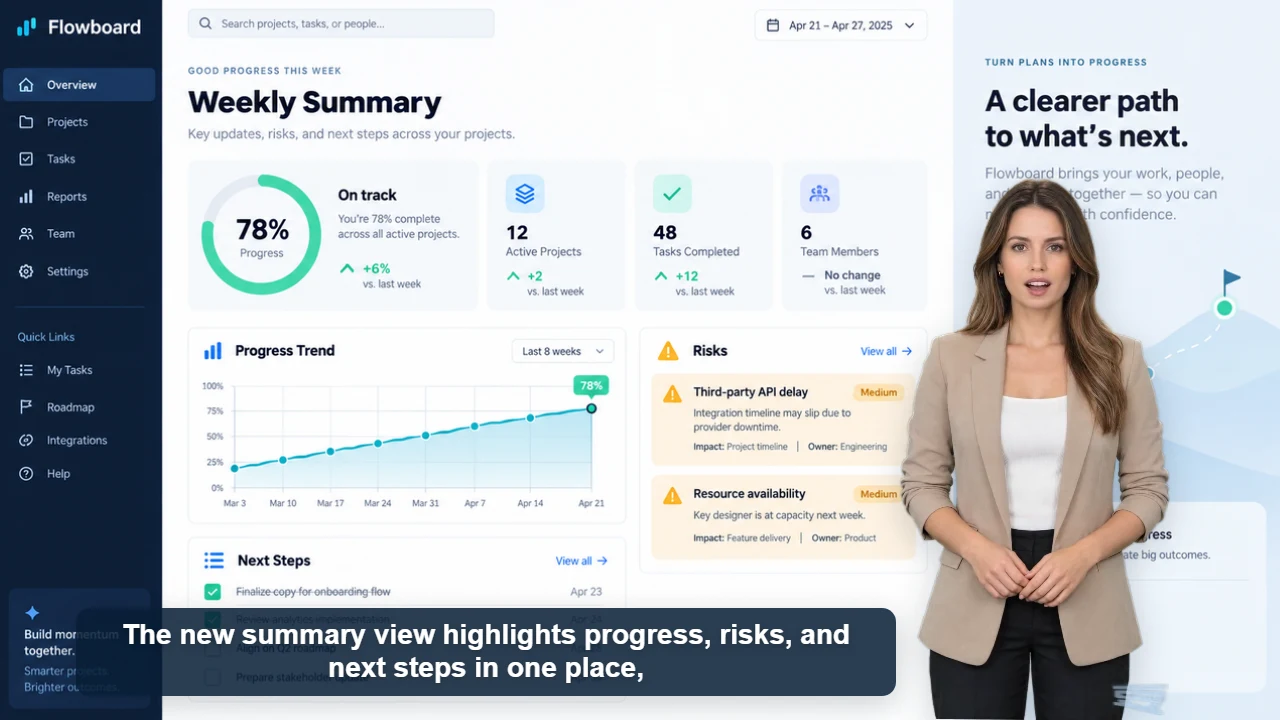
SaaS product demo
Published example
34 sec · 16:9 · US English female voice
SaaS product demo video with an AI presenter
Watch Claire explain Flowboard's weekly reporting workflow with five original product screens, clear captions, and one focused call to action.
Choose a presenter once, then reuse the same look for scripts, lessons, and recurring updates.
Stable presenter appearance
Reuse the same face, hairstyle, and outfit from your chosen template while changing the script and background.
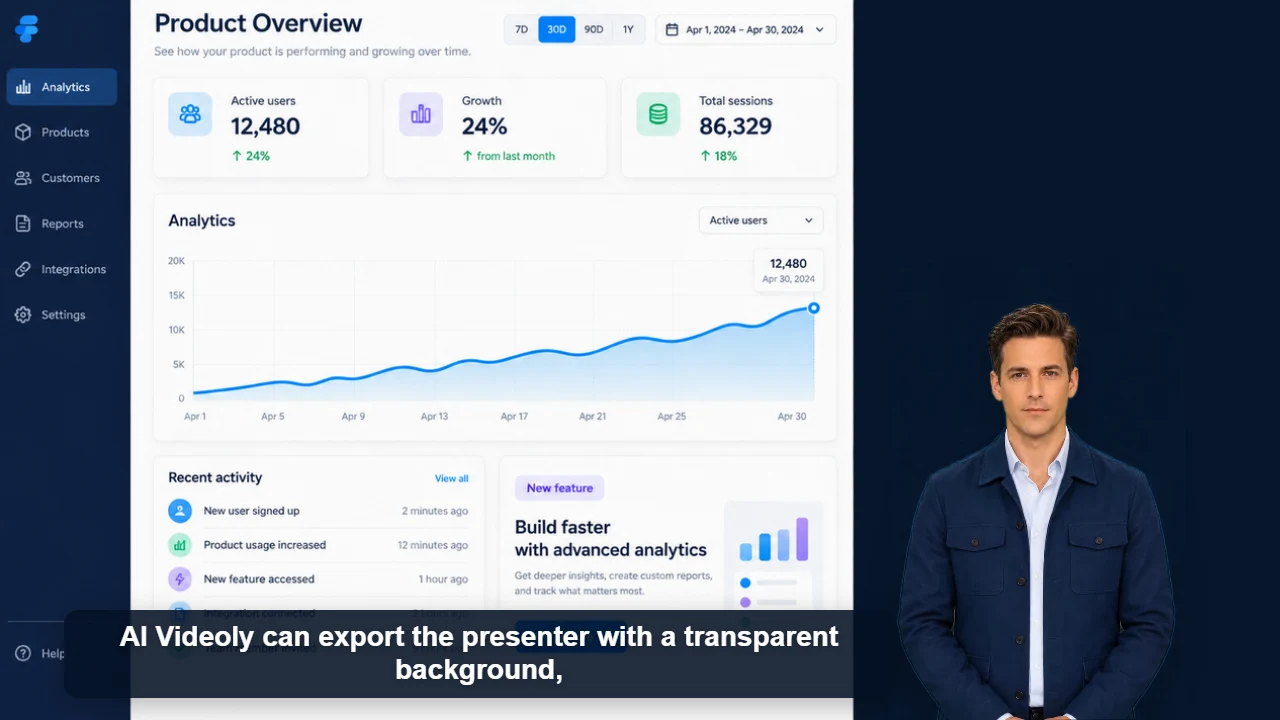
Transparent WebM export
Export a presenter with transparency for overlays, livestream layouts and editing workflows, or use a custom image or video background.
Short clips and multi-minute videos
Create social hooks, product demos, lessons and longer explainers with the same reusable presenter workflow.
Flexible production
More than a script-to-video generator
Create complete presenter videos for short clips and multi-minute content. Adjust the presenter, voice, background, captions, and layout before downloading.
Realistic + 2D
Choose your presenter style
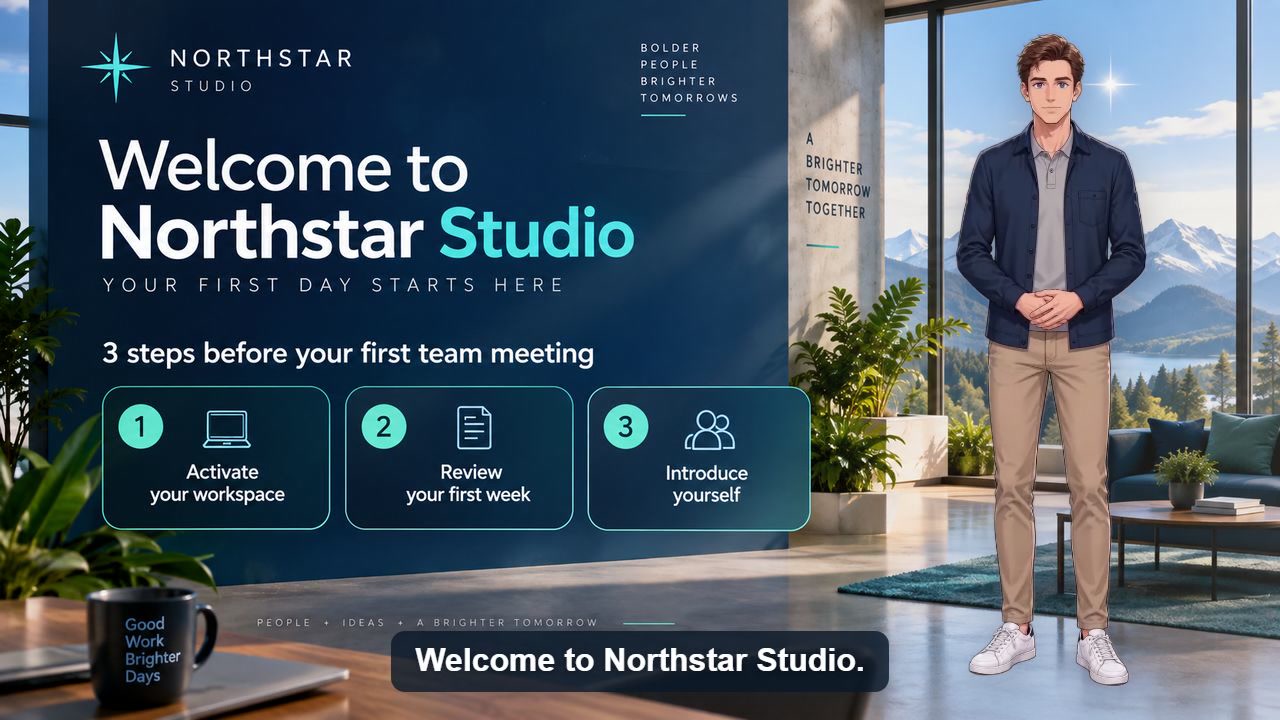
Use a realistic virtual host for news and business videos, or a 2D character for a stylized channel.
Consistent identity
Keep the same host across videos
Reuse the presenter appearance and outfit across episodes, lessons, and product updates.
Script updates
Create new content without a new shoot
Keep your host and layout, replace the script and background, and generate the next video.
Text to video
Create complete presenter videos
Turn a script into a finished video with AI narration, synchronized presentation, and automatic captions.
22%–200%
Resize and reposition freely
Drag the presenter in the preview, or precisely adjust horizontal position, vertical position, and size.
Image + video
Upload your own background
Use a photo, illustration, motion background, or video and preview the composition before export.
60+ voices
Choose the right AI voice
Select from more than 60 available voices, including presenter, narration, marketing, and multilingual neural options.
10 videos/day
Completely free to use
Guests can try one video. A signed-in account can generate up to 10 presenter videos every day for free.
Up to 5 minutes
Create long-form presenter videos
Generate multi-minute lessons, explainers, training videos, and longer narrated content from a single script.
Does AI Videoly support realistic virtual presenters?
Yes. Choose an available realistic presenter template or a 2D character, then add your script, voice, and background to create a video.
Can I keep the same presenter across videos?
Yes. Reuse the same presenter template to keep the face, hairstyle, and outfit consistent across scripts and episodes. Keep the voice and layout too when you want a consistent series.
Is AI Videoly really free?
Yes. AI Videoly is currently completely free. Guests can generate and download one video, while signed-in accounts can create up to 10 videos per day and save their work.
What does AI Videoly generate?
AI Videoly turns text into complete presenter videos with AI voice, lip sync, automatic captions, custom backgrounds, and flexible presenter layouts.
Can I move or resize the presenter?
Yes. Drag the presenter directly in the preview or use the size and X/Y controls. The current size range is 22% to 200%.
Can I upload a background image or video?
Yes. Upload common image or video files, preview them behind the presenter, and export the combined result.
How many AI voices are available?
The current creation workflow offers more than 60 voice choices. The live voice list may grow as new neural voices are added.
Can I generate a video longer than one minute?
Yes. Scripts can produce videos longer than one minute. The browser export workflow currently supports up to about five minutes, subject to script and account limits.
Why might my video wait in a queue?
AI Videoly keeps rendering reliable by queuing work when capacity is busy. Your place is preserved instead of rejecting a normal request.
Presenter workflows
Create the right presenter video for each job
Explore focused workflows for text-to-presenter videos, transparent presenters, long-form content, product demos, training, and social clips.
Trim presenter clips, merge shots, compress files for sharing or extract a cover. These tools process your footage locally in the browser without uploads or sign-in.