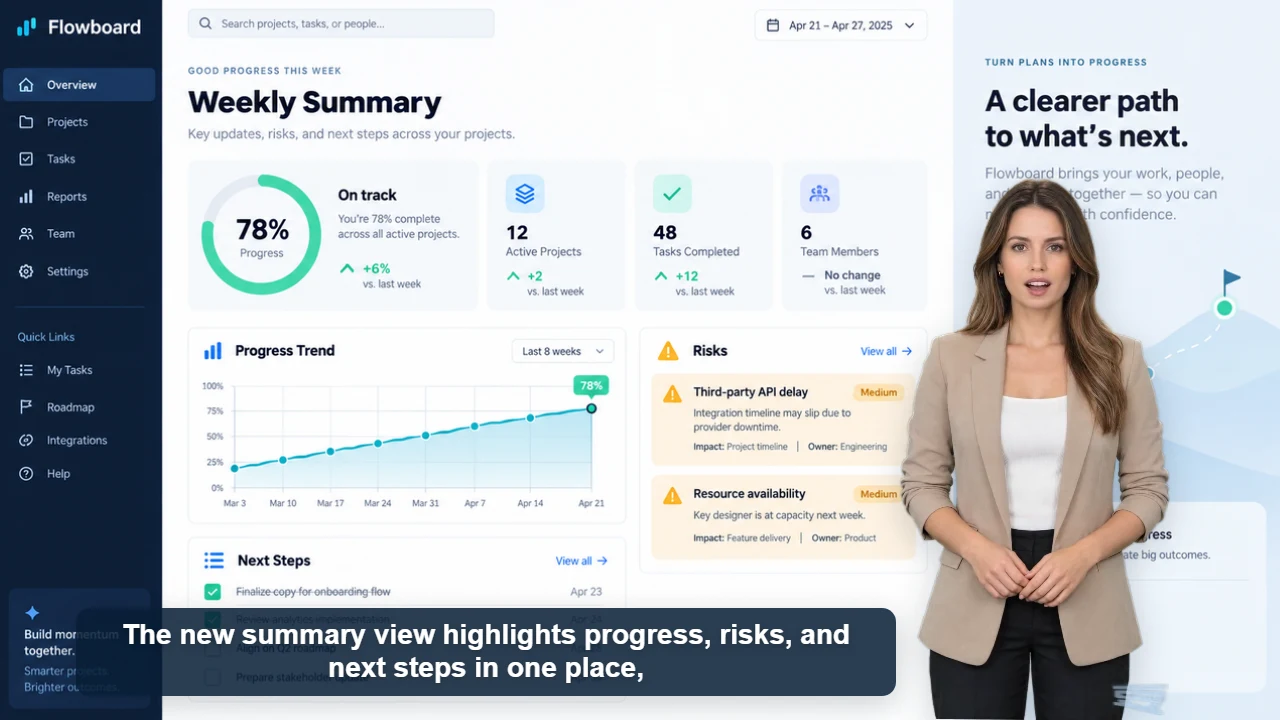
Text to presenter video

Turn Text Into an AI Presenter Video

Create a complete presenter-led video from a script with AI voice, synchronized lip movement, automatic captions, and a background you control.

Included in every generation

  • 60+ AI voices
  • Synchronized lip movement and captions
  • Custom image or video backgrounds
  • Movable and resizable presenters
  • Short clips and multi-minute content

AI Videoly brings script, presenter, narration, captions, and composition into one browser workflow. Paste the words you want spoken, choose an original 2D presenter, and preview the final layout before downloading. It works for quick social clips as well as structured, multi-minute explanations.

One script, one workflow

Generate narration, presenter timing, lip sync, and captions without moving between separate tools.

Control the composition

Choose vertical, landscape, or square video and move or resize the presenter around your content.

Start with a real free render

Try a complete downloadable video without a credit card, then sign in for a larger daily allowance.

Workflow

Create the video in four steps

1

Paste your script

Use natural sentences and punctuation to guide voice pacing.

2

Choose a presenter and voice

Match the character, language, and voice style to the audience.

3

Set the background and layout

Upload an image or video, select the format, and position the presenter.

4

Generate and download

Review the voice, lip sync, captions, and complete composition before publishing.

Content you can create

Product explainers
Course and tutorial videos
News and recurring updates
Social media presenter clips
Internal training
Marketing announcements

Frequently asked questions

Can text generate a complete presenter video?

Yes. The script drives AI narration, presenter timing, lip movement, and automatic captions. You can also add a custom image or video background.

How long can the script be?

AI Videoly supports short clips and multi-minute presenter videos. The current browser export workflow supports videos up to about five minutes, subject to account and script limits.

Do I need editing software?

No for a standard composed video. You can also export a transparent WebM presenter layer if you want to continue editing elsewhere.