Free AI avatar video guide

How to Make a Free AI Avatar Video from Text

Make a talking avatar video without filming yourself. Follow a sample script, choose a presenter and voice, add captions, and check the free usage limits.

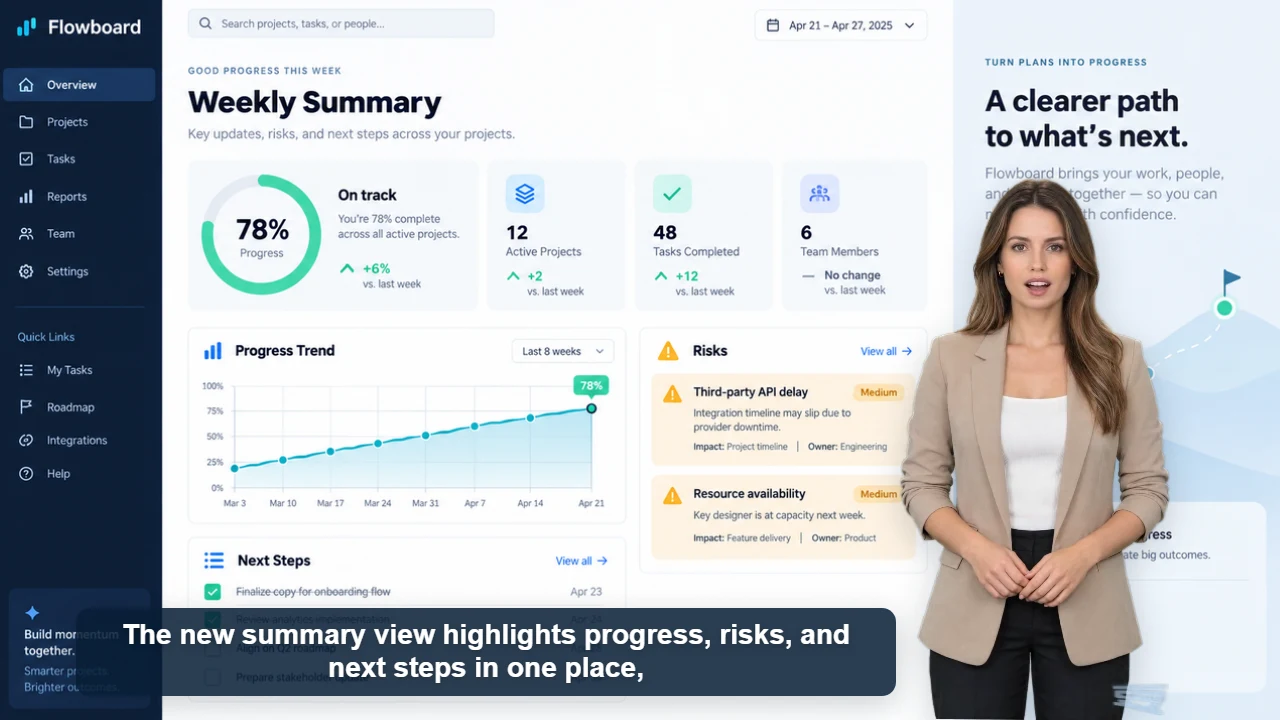
SaaS product demo video with an AI presenter video poster
SaaS product demo

Published example

34 sec · 16:9 · US English female voice

SaaS product demo video with an AI presenter

Watch Claire explain Flowboard's weekly reporting workflow with five original product screens, clear captions, and one focused call to action.

Watch video and view script

An AI avatar video combines a written script, a virtual presenter and synthesized narration. In AI Videoly, guests can generate one free video; signed-in users can generate up to ten daily. Start with two or three sentences, review the pronunciation and lip sync, then export. Available templates provide the presenter identity; this workflow does not require uploading your own face.

A script you can try

Welcome to our weekly update. Today, we will show you how to turn a short script into a presenter video. Choose a voice, review the captions, and download your first result.

Start with a short script to check the result. The button loads the text, presenter template and 16:9 format. Choose a matching voice in the editor and adjust the background and captions. Replace the topic before publishing.

Troubleshooting your first video

The name sounds wrong

Preview the voice with the product name or technical term. Try a clearer spelling and shorter sentences before generating the complete script.

The presenter covers the screen

Move or resize the presenter in the preview. Check the background and captions together in your chosen aspect ratio.

The download takes time

Generation and composed export are separate steps. Browser export plays and records the video; keep the page open and the browser in the foreground until it finishes.

I need a transparent layer

Choose transparent output and check MOV or WebM support in your target software. A composed video with a background is a different output.

Choose the right format

Use 16:9 for a tutorial or product walkthrough and 9:16 for a social clip. Leave space for captions and any product screenshots.

Understand the limits

The current browser export supports videos up to about five minutes, subject to script and account limits. Export involves browser playback and recording, so allow additional time and keep the page open.

Workflow

Create the video in four steps

1

Write a short script

Use one idea per sentence. Spell unfamiliar names phonetically if the voice mispronounces them.

2

Pick a presenter and voice

Choose an available template, then a voice suitable for the script language. Preview the narration before a longer render.

3

Prepare the layout

Upload a background if needed, place the presenter away from important details and check caption placement.

4

Review and download

Check facts, pronunciation, lip sync and text readability. Export the composed video, then review the downloaded file before publishing.

Content you can create

First talking avatar video
Faceless tutorials
Product introductions
Recurring updates

Frequently asked questions

Can I try it without signing up?

Yes. Guests can generate one free video. Signing in provides up to ten free generations daily under the current allowance.

Do I need to record myself?

No. This workflow uses existing realistic or 2D presenter templates and AI narration.

Can I use the result commercially?

AI Videoly's original presenter characters support free commercial use in generated videos. You must also have appropriate rights to any background, music or other materials you upload.

Why does downloading take time?

The composed export records browser playback, and some formats need further processing. Keep the page open and allow time for the video to play through.