Product presenter videos

Create AI Product Demo and Launch Videos

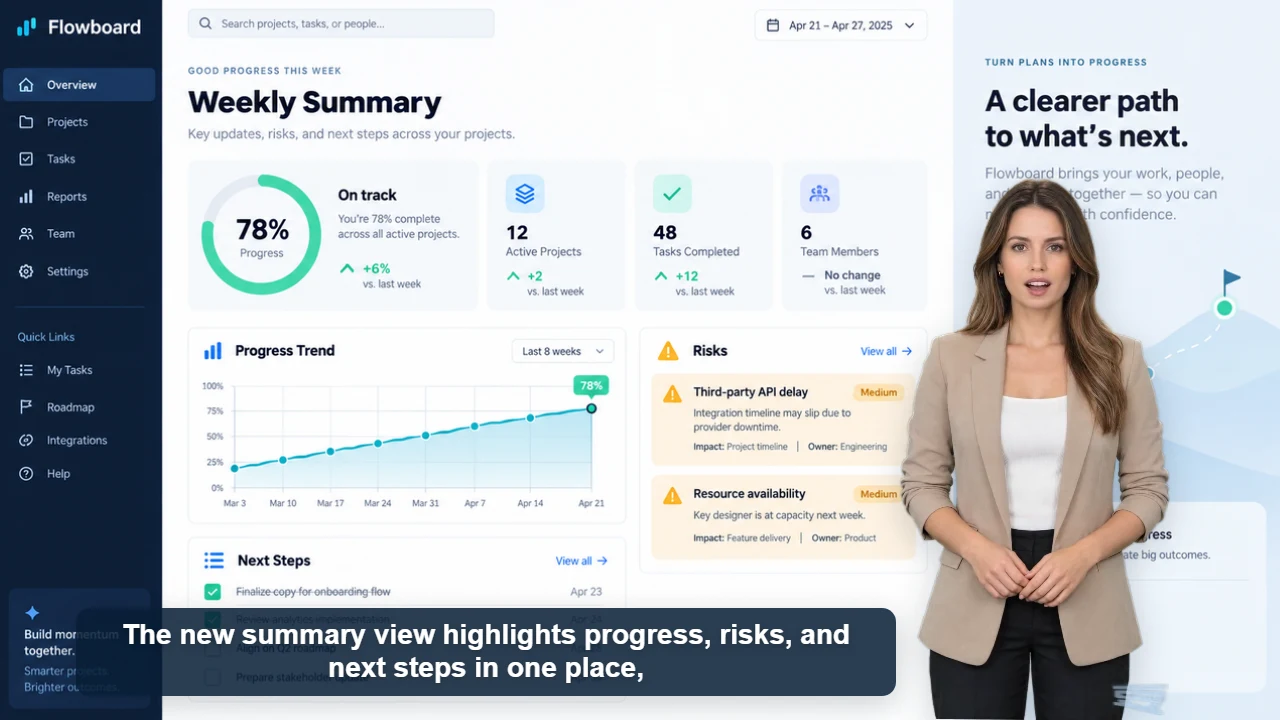
Explain a product, feature, or offer with an AI presenter, your own product visuals, synchronized narration, and automatic captions.

Included in every generation

  • 60+ AI voices
  • Synchronized lip movement and captions
  • Custom image or video backgrounds
  • Movable and resizable presenters
  • Short clips and multi-minute content

A useful product video does more than list features. It connects a customer problem to one clear benefit and shows the next action. AI Videoly lets the presenter deliver that message while your screenshots, product images, screen recordings, or launch footage remain visible in the background.

Keep the product visible

Place and resize the presenter around screenshots, footage, prices, or important interface areas.

Update the message quickly

Revise the script for a new feature, market, campaign, or offer without recording a new spokesperson.

Create multiple formats

Prepare vertical social clips, landscape demos, and square marketplace videos from the same workflow.

Workflow

Create the video in four steps

1

Choose one customer problem

Focus the opening on a specific situation the product improves.

2

Show the strongest proof

Use a screenshot, product visual, or short demonstration as the background.

3

Explain the benefit

Let the presenter connect what viewers see to the result they care about.

4

End with one action

Ask viewers to try, compare, learn more, or visit the product page.

Content you can create

SaaS feature launches
Ecommerce product pages
App walkthroughs
Marketplace listings
Sales enablement
Release notes

Frequently asked questions

Can I upload product footage?

Yes. Use a common image or video file as the background and position the presenter over it.

Which format is best for a product demo?

Use 16:9 for websites and detailed walkthroughs, 9:16 for short-form social platforms, and 1:1 for flexible marketplace or feed placement.

Can I make several versions?

Yes. Reuse the same template and adjust the script, voice, format, or background for each audience and channel.